
Quick Start
⚡ Quick Start
Section titled “⚡ Quick Start”Welcome! This guide is designed to help new editors make their first successful contribution to the Restaurant Tycoon 3 Wiki.
You don’t need any prior wiki editing experience—just a willingness to learn.
Before You Begin
Section titled “Before You Begin”Before making your first edit, make sure you:
- Have a RT3 Wiki account.
- Are signed in.
- Have a basic understanding of the page you want to edit.
- Read the page before making changes.
Tip: Small improvements are a great way to start. Fixing spelling, grammar, or formatting is just as valuable as adding new content.
Step 1 — Open the Source Editor
Section titled “Step 1 — Open the Source Editor”Most pages can be edited using the Source Editor, which allows you to edit the page using Source (Wikitext).
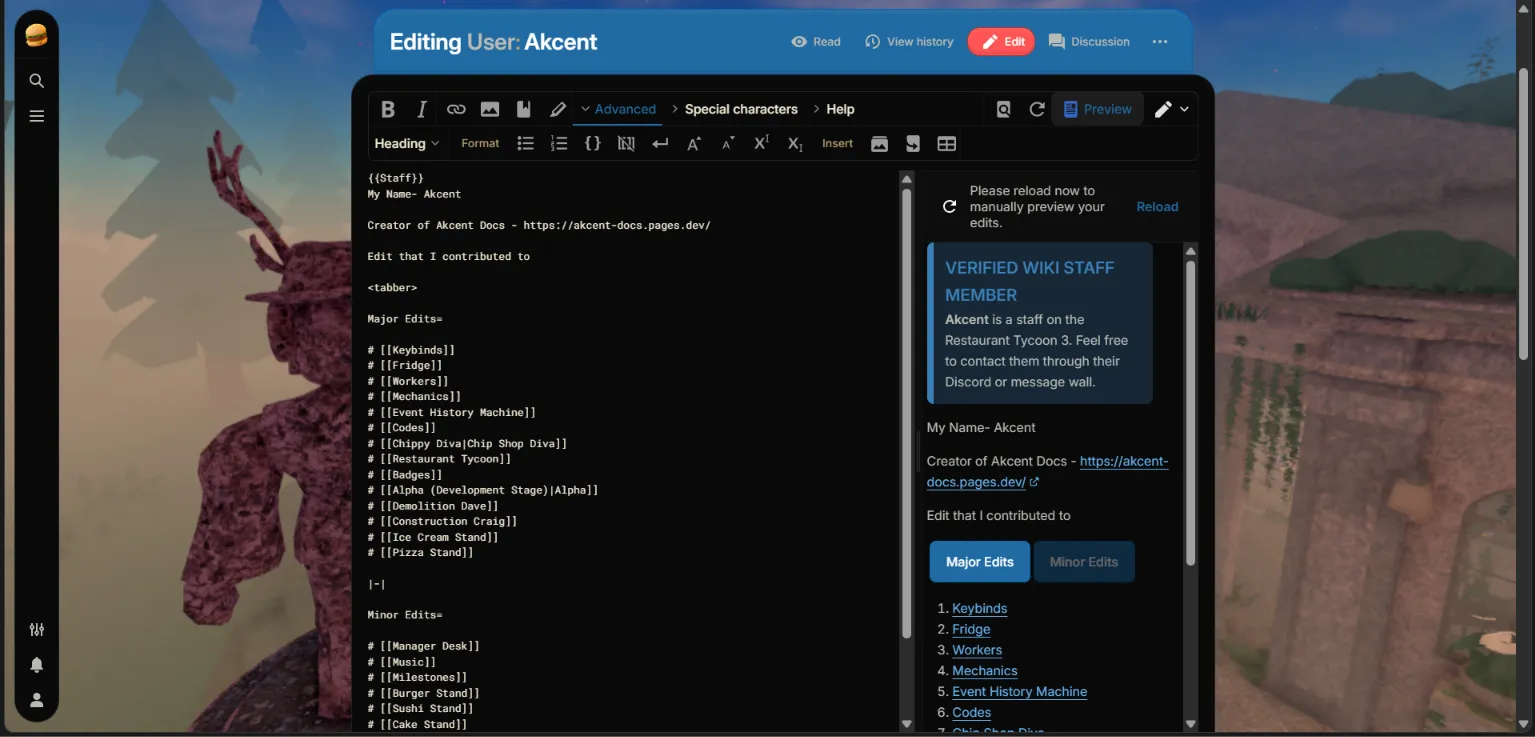
- Open the page you want to edit.
- Click Edit Source or the [[]].
- The page’s source code will appear.
This is where you’ll write and format your content.

Step 2 — Learn Basic Wikitext
Section titled “Step 2 — Learn Basic Wikitext”Here are a few common formatting examples you’ll use regularly.
Headings
Section titled “Headings”== Main Heading ==
=== Subheading ===Bold Text
Section titled “Bold Text”'''Bold Text'''Italic Text
Section titled “Italic Text”''Italic Text''Internal Links
Section titled “Internal Links”[[Restaurant]]Link directly to another page on the wiki.
External Links
Section titled “External Links”[https://example.com Example Website]Bullet Points
Section titled “Bullet Points”* Item One* Item Two* Item ThreeStep 3 — Preview Your Changes
Section titled “Step 3 — Preview Your Changes”Before saving:
- Click Show Preview
- Check formatting
- Fix any mistakes
- Make sure links work correctly
Previewing helps catch errors before they become public.
Step 4 — Save Your Edit
Section titled “Step 4 — Save Your Edit”When you’re happy with your changes:
- Write a short edit summary.
- Review your changes one last time.
- Click Save Changes.
Congratulations! 🎉
You’ve made your first contribution.
Common Beginner Mistakes
Section titled “Common Beginner Mistakes”Avoid these common issues (Most of them happened to me 😉)
- Editing without previewing.
- Forgetting to add an edit summary.
- Breaking page formatting.
- Creating unnecessary duplicate pages.
- Removing existing content without a reason.
If you’re unsure about a change, ask another editor before making it.
Good Editing Habits
Section titled “Good Editing Habits”Use these habits when editing.
- Preview every edit.
- Keep edit summaries clear and concise.
- Use existing formatting as a guide.
- Make small, focused edits.
- Double-check links and templates.
These habits will make editing easier and improve the quality of the wiki.
Where to Go Next
Section titled “Where to Go Next”Now that you’ve made your first edit, continue learning with these guides:
- 💡 Tips & Tricks — Improve your editing workflow.
- ❓ Questions & Answers — Solutions to common editing problems.
- 📚 Resource Directory — Helpful websites and documentation.
- 📖 Reference Library — Wikitext examples and formatting reference.
Happy editing, and welcome to the community! 🚀